Google Wallet Adds Digital Home Keys: Unlock Smart Locks With Your Android Phone

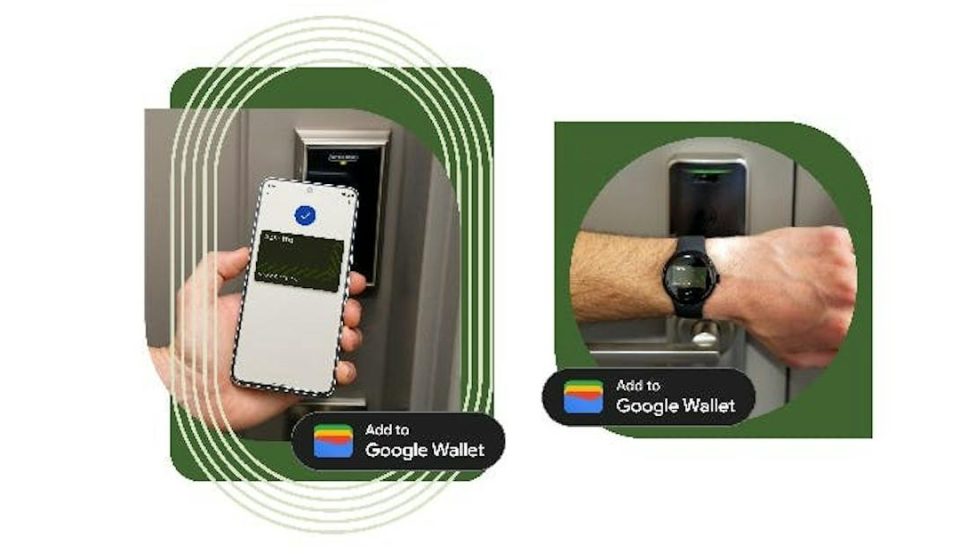
Google Wallet is expanding beyond payment cards and passes. Android users can now add a compatible smart lock’s digital home key from the Google Home app to Google Wallet, then unlock the door with an NFC tap. On supported hardware, the system can also unlock automatically as the user approaches the door.
The feature is beginning with the Google Home Public Preview and is expected to reach more users over the coming weeks. It is built around Aliro, an open digital access standard developed by the Connectivity Standards Alliance, and works with selected Matter-compatible smart locks.
How Google Wallet home keys work
After a compatible smart lock is set up in Google Home, the app can offer an option to add its digital key to Google Wallet. Once saved, users can hold the back of an NFC-enabled Android phone near the lock’s reader to unlock the door. Google says Tap to Unlock can work even when the phone screen is locked, depending on the device’s recent unlock state and the user’s verification settings.
There is also an optional Unlock on Approach mode. It uses Ultra-Wideband (UWB) to detect when a supported phone is close to a compatible lock. This hands-free option is off by default and requires UWB support in both the phone and the lock.
Which smart locks are supported?
Google lists three compatible options at launch:
- Aqara U400: Supports both NFC tap-to-unlock and UWB-based approach unlocking.
- Schlage Sense Pro: NFC unlocking is supported at launch, while UWB support is expected later.
- Nuki Keypad 2 NFC: Supports NFC tap-to-unlock when used with a compatible Nuki smart-lock setup; it does not provide UWB approach unlocking.
Google says more compatible locks are on the way. The important point is that an ordinary smart lock is not automatically supported: it must meet the relevant Matter and Aliro compatibility requirements.
What Android phones and smart-home hubs do you need?
For NFC Tap to Unlock, Google’s requirements include an NFC-enabled Android phone running Android 9 or later, plus the latest versions of Google Home and Google Wallet.
Hands-free unlocking has stricter requirements. Both the phone and the lock must support Aliro over UWB. Google identifies the Pixel 10 Pro series and newer compatible Pixel Pro models as supported examples; selected UWB-enabled Samsung Galaxy phones may also qualify. Compatibility depends on the exact phone and lock, so check the manufacturer’s support list before buying hardware.
You will also need a Matter-enabled Google hub with a Thread Border Router. Google lists devices such as Nest Hub (2nd gen), Nest Hub Max, Nest Wifi Pro and Google TV Streamer as examples.
One home key can work with multiple locks
One useful detail is that the digital key is associated with the home in the Google Home app, rather than being tied to only one lock. If several compatible Aliro locks are installed in the same Google Home household, the same Wallet key can work with them. A separate home key is used for each home configured in the app.
Other people who are members of the same Google Home household can add their own home key to their personal Google Wallet on Android. Google also says the key can sync across compatible Android phones signed in to the same Google Wallet account.
Security settings and things to know
Convenience should not mean giving up control. Google Wallet lets users manage whether device verification is required for a tap. You can enable the Require device unlock setting if you want the phone’s screen lock or biometric check before using the key. Unlock on Approach is also disabled until the user chooses to turn it on.
Google’s help guidance also recommends keeping a physical key as a backup. A digital key depends on a compatible phone, lock and connected smart-home setup, so it should not be treated as the only way to enter your home.
How to add a home key to Google Wallet
- Set up a supported Matter and Aliro-compatible smart lock in the Google Home app.
- Open the lock’s settings or go to Home settings in Google Home.
- Choose Google Wallet key and follow the setup prompts.
- Tap Add to Wallet when the option appears.
- Open the key in Google Wallet to review device-unlock requirements and, if your phone and lock support it, enable Unlock on Approach.
If the lock is already configured, Google says the key can be added later from the Google Home app’s home or device settings. The feature is currently rolling out through Public Preview, so the option may not appear for every user immediately.
Google Wallet home keys: availability at a glance
- Platform: Android with Google Home and Google Wallet
- Tap-to-unlock: NFC-enabled Android 9 or later
- Hands-free unlock: Aliro UWB-compatible phone and lock
- Launch lock support: Aqara U400, Schlage Sense Pro and Nuki Keypad 2 NFC
- Smart-home requirement: Matter-enabled Google hub with Thread Border Router
- Rollout: Google Home Public Preview first, wider rollout expected over the coming weeks
- Wear OS: Not supported at launch
Frequently asked questions
Can any Android phone use Google Wallet home keys?
For NFC tap-to-unlock, Google specifies an NFC-enabled Android phone running Android 9 or later. The lock and smart-home hub must also be compatible.
Does the phone need to be unlocked to open the door?
Google says tapping can work without waking or unlocking the screen, subject to the phone’s recent unlock state and the verification settings chosen in Google Wallet. Users can require device unlock for additional protection.
Can Google Wallet unlock a door automatically?
Yes, with Unlock on Approach, but only when both the phone and lock support Aliro UWB. The option is off by default.
Can one Wallet key work with more than one door?
Yes. Google links the key to the home in Google Home, allowing it to work with compatible Aliro locks in that home.
Do Wear OS watches support home keys?
Wear OS watches are not supported for this Google Wallet home-key launch.
Our take
Bringing home keys into Google Wallet makes Android-based smart access easier to find and manage, especially for households with several compatible locks. But support is still limited by the Aliro lock lineup, the required Google hub and, for hands-free entry, UWB hardware. Before upgrading a lock, check the complete compatibility list rather than assuming that every Matter smart lock will work.
Sources