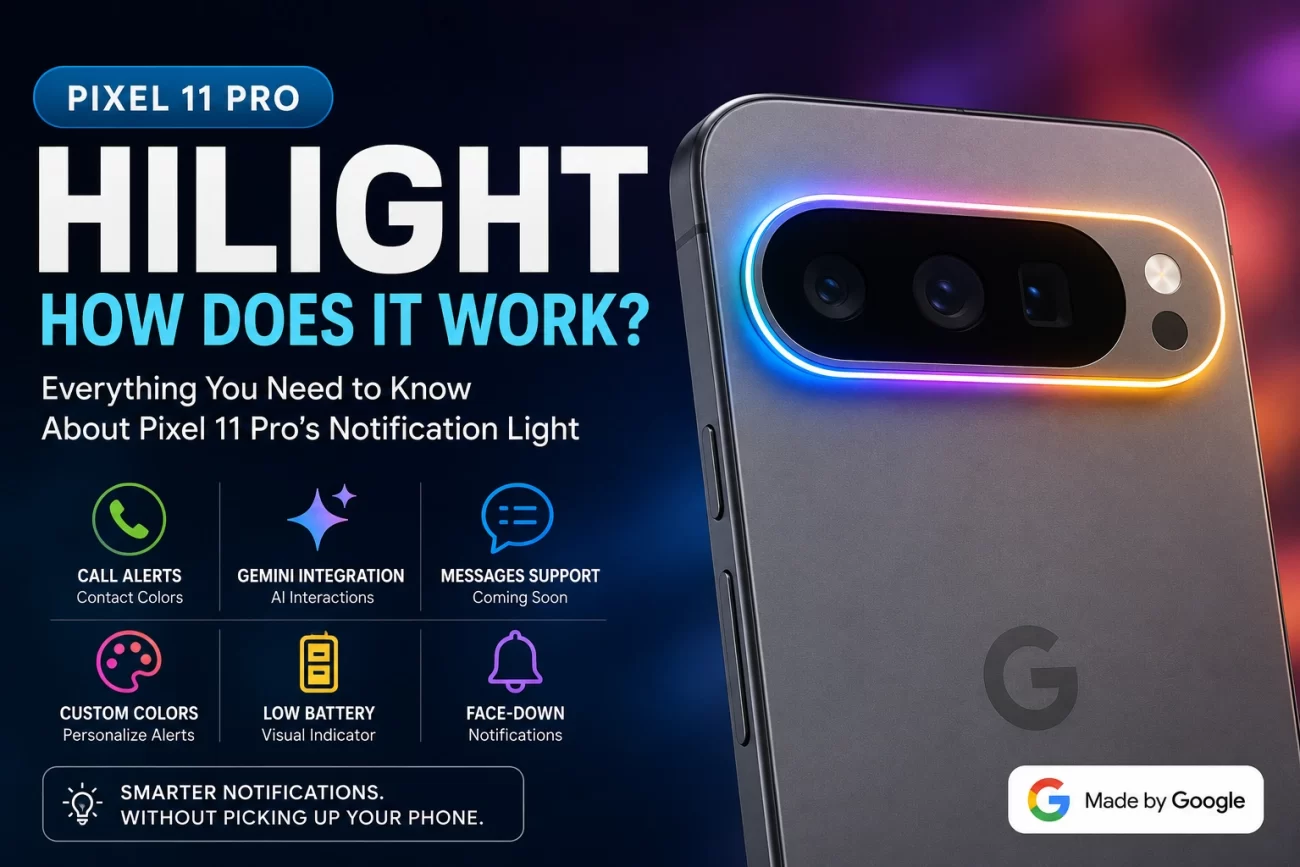
Google’s Pixel 11 Pro HiLight is one of the more unusual additions to the company’s latest flagship phones. Instead of putting a traditional notification LED on the front, Google has integrated a multicolor light into the rear camera area.
The idea is simple: when your Pixel 11 Pro is lying face down, HiLight can provide a visual signal for certain phone activities without requiring you to pick up the device.
But what exactly does HiLight do, which notifications can use it, and can you customize the colors? Here’s what we know so far.
Pixel 11 Pro HiLight at a Glance
- Feature: Google HiLight
- Location: Rear camera bar
- Type: Multicolor LED lighting system
- Primary purpose: Visual notifications and phone activity
- Contact colors: Supported
- Gemini integration: Yes
- Face-down notifications: Yes
- Third-party app support: Currently limited
- Future expansion: Possible through software updates
What Is HiLight on the Pixel 11 Pro?
HiLight is Google’s new rear notification lighting feature for the Pixel 11 Pro family.
The light is positioned around the rear camera area, allowing it to remain visible when the phone’s display is facing a table or desk.
This gives Google an alternative to the traditional notification LED found on some older smartphones.
Instead of flashing a tiny light on the front of the phone, HiLight uses the larger rear camera area to provide a more noticeable visual cue.
The concept is particularly useful when you don’t want to constantly turn your phone over to check whether something happened.
How Does Pixel 11 Pro HiLight Work?
The basic concept is straightforward:
- Place the Pixel 11 Pro face down.
- A supported event occurs.
- HiLight activates on the rear of the phone.
- The light uses a specific color or visual effect.
- You can decide whether the notification needs your attention.
This means you can potentially recognize an important event without unlocking the phone.
For example, a call from a specific contact could trigger the color you’ve assigned to that person.
Can You Choose HiLight Colors?
Yes, this is one of the more interesting aspects of the feature.
Google’s Contacts app is expected to allow users to assign a HiLight color to individual contacts.
The reported color options include:
- 🔵 Blue
- 🩵 Cyan
- 🟢 Green
- 🟠 Orange
- 🩷 Pink
- 🟣 Purple
- 🟦 Teal
- ⚪ White
- 🟡 Yellow
This could make HiLight particularly useful for calls.
For example:
Family → Blue
Work → Green
Close friends → Purple
Once you learn your preferred color assignments, you could potentially identify who is calling without looking at the screen.
HiLight Can Show Incoming Call Alerts
One of the clearest use cases for HiLight is incoming calls.
When a supported contact calls, the rear light can illuminate using the color associated with that person.
This turns the camera bar into a quick visual identifier.
It is a small feature, but it could be useful when your phone is sitting across the desk or placed face down during a meeting.
Gemini Also Uses HiLight
Google isn’t limiting HiLight entirely to traditional notifications.
The company has also connected the feature to Gemini, its AI assistant.
When Gemini is being used, HiLight can provide a visual cue using Google’s familiar blue, red and other brand-inspired colors.
That gives the AI interaction a physical component rather than keeping everything confined to the display.
It also makes sense from a design perspective: the light provides feedback without requiring the user to stare at the screen.
Can HiLight Show WhatsApp, Instagram and Gmail Notifications?
This is where the current feature becomes less exciting.
At launch, HiLight does not appear to be a universal notification LED for every application.
Google has confirmed that Messages will gain HiLight support, but broader third-party app support remains unclear.
That means you shouldn’t assume that every notification from:
- Gmail
- Slack
- X
will automatically trigger HiLight.
Google could expand support later, but the current implementation appears much more limited than a traditional Android notification LED.
Could HiLight Become a Universal Notification System?
This is arguably the most interesting question.
The hardware could potentially make HiLight much more useful if Google opens it up to additional applications.
Imagine:
Instagram → Purple/Orange
Gmail → Blue
WhatsApp → Green
Reddit → Red
Calendar → White
You could even imagine different light patterns indicating notification priority.
That would transform HiLight from a simple visual effect into a genuine notification language for the phone.
For now, however, that remains a possibility rather than a confirmed feature.
Does HiLight Work When the Phone Is Face Down?
That’s one of the main reasons Google created it.
HiLight is designed to provide visual feedback from the rear of the device, making it especially useful when the phone is placed display-down.
Instead of picking up the phone to see whether you’ve received something, you can potentially glance at the rear light.
This is also where HiLight has an advantage over traditional front-facing notification indicators.
Does HiLight Drain the Battery?
Google has not indicated that HiLight should have a major effect on battery life.
The LEDs only need to activate for specific events, rather than remaining illuminated continuously.
That means the impact should theoretically be relatively small.
However, real-world battery consumption will depend on how frequently HiLight activates and how Google implements animations and future notification features.
A proper battery comparison will be needed before making any strong conclusions.
HiLight vs Traditional Notification LEDs
| Feature | Traditional LED | Pixel 11 Pro HiLight |
|---|---|---|
| Notification light | Yes | Yes |
| Rear-facing | Usually no | Yes |
| Multiple colors | Some phones | Yes |
| Contact colors | Some devices | Yes |
| Gemini integration | No | Yes |
| Face-down visibility | Limited | Designed for it |
| App support | Often broader | Currently limited |
| Dynamic effects | Limited | Potentially possible |
The biggest difference is that Google has turned the idea into a much more modern camera-bar feature.
The Biggest Limitation
HiLight’s biggest weakness isn’t the hardware.
It’s software support.
The multicolor lighting system could potentially become a much more useful notification system, but Google currently appears to be keeping its capabilities relatively narrow.
That’s particularly interesting because notification LEDs have existed on smartphones for years.
Google now has the opportunity to modernize that concept with:
- More colors
- App-specific alerts
- Custom patterns
- Notification priority
- Spam-call indicators
- Charging animations
- Calendar reminders
- Battery alerts
Whether Google eventually enables these features remains to be seen.
What Could Google Add in the Future?
A future Pixel software update could make HiLight considerably more useful.
Potential additions include:
App-specific colors
Users could assign a color to individual apps.
Notification priority
Important notifications could use a different pattern from ordinary alerts.
Spam identification
Red could indicate a suspected spam call, while a contact-specific color could identify someone you know.
Custom animations
Google could allow subtle animations instead of only static colors.
Wider Messages support
More messaging platforms could potentially gain access to HiLight.
Developer support
Third-party developers could eventually build HiLight into their apps.
These features aren’t confirmed, but they demonstrate why the hardware has considerable potential.
Is Pixel 11 Pro HiLight Actually Useful?
Yes, but its usefulness depends heavily on how Google expands it.
The contact-specific color system is genuinely practical, while Gemini integration gives the feature a distinctive Pixel identity.
However, people expecting HiLight to replace the classic Android notification LED may be disappointed by its current limitations.
The feature feels more like a first-generation notification system than a fully developed replacement for traditional notification lights.
Bottom Line
The Pixel 11 Pro HiLight is a clever attempt to make the rear camera bar useful for more than photography.
Its ability to display colors for contacts and provide visual feedback during Gemini interactions gives the Pixel 11 Pro something that most competing phones don’t offer.
But the real opportunity lies ahead.
If Google eventually allows WhatsApp, Instagram, Gmail, Reddit and other apps to use HiLight with customizable colors and patterns, the feature could become one of the most distinctive parts of the Pixel experience.
For now, HiLight is best viewed as a promising new feature with plenty of room to grow.
Pixel 11 Pro HiLight Could Be a Great Notification LED
Pixel 11 Notification Light: What Can HiLight Actually Do?
Frequently Asked Questions
What is Pixel 11 Pro HiLight?
Pixel 11 Pro HiLight is a rear multicolor lighting feature that provides visual cues for supported phone activities and notifications.
Can I assign different HiLight colors to contacts?
Yes. Reported support allows users to assign different colors to individual contacts for visual call notifications.
Does Pixel 11 Pro HiLight work with Gemini?
Yes. Gemini interactions can trigger HiLight effects using Google’s signature colors.
Does HiLight work with every Android app?
Not currently. Broader third-party app support appears limited, although Google has indicated that Messages will support the feature.
Does HiLight work when the phone is face down?
Yes. Face-down visibility is one of the main purposes of the rear HiLight system.
Can Google expand HiLight through software?
Potentially, yes. Because many of the feature’s capabilities depend on software, Google could add more supported apps and functions through future updates.
3 thoughts on “Pixel 11 Pro HiLight: How Does the Notification Light Work?”
Comments are closed.