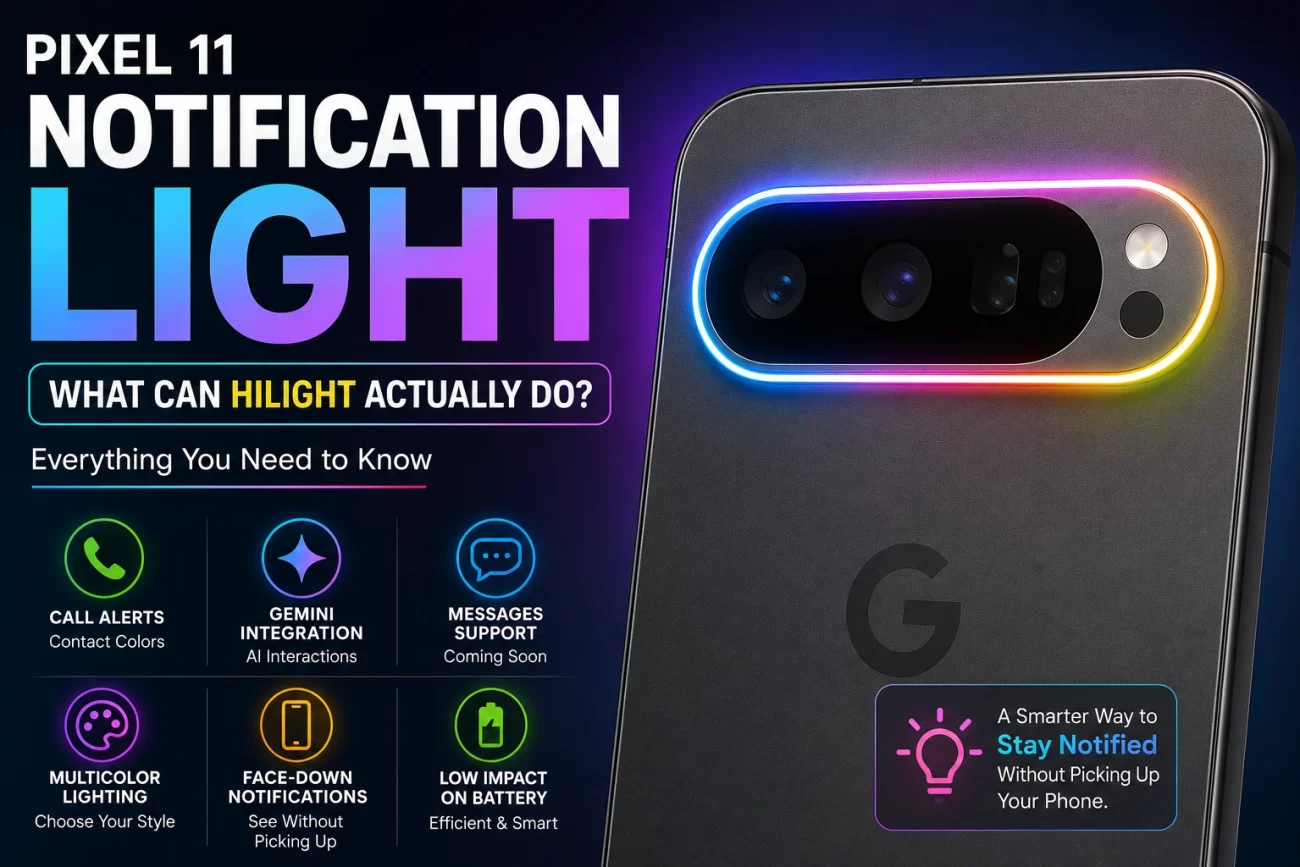
Google is giving the Pixel 11 series a feature that looks small but could become one of its most recognizable additions: HiLight.
The multicolor light built into the rear camera area is designed to give users visual feedback without requiring them to pick up the phone. It can react to supported calls and Gemini interactions, while Google has also indicated that Messages support is coming.
But there is an obvious question: What can the Pixel 11 notification light actually do?
Here is a practical look at the feature, what it currently supports, and where Google could take it next.
Pixel 11 HiLight: Quick Facts
- Feature name: HiLight
- Location: Rear camera area
- Purpose: Visual alerts and phone activity
- Multiple colors: Yes
- Contact-specific colors: Supported for calls
- Gemini integration: Yes
- Messages support: Planned
- Face-down use: One of its main purposes
- Universal app notifications: Not currently confirmed
- Future functionality: Could expand through software updates
What Is the Pixel 11 Notification Light?
The Pixel 11 notification light, known as HiLight, is a multicolor lighting system integrated into the rear camera area.
Unlike the small notification LEDs found on some older Android smartphones, HiLight is positioned on the back of the phone.
That makes it particularly useful when the Pixel 11 is sitting screen-down on a desk or table.
Instead of constantly checking the display, users can potentially glance at the rear of the phone and see whether a supported event has occurred.
What Can Pixel 11 HiLight Do?
At launch, HiLight isn’t designed to illuminate for every notification your phone receives.
Its current functionality is focused on selected experiences.
1. Incoming call alerts
One of the main uses is incoming calls.
Users can reportedly assign different colors to contacts. That means the light could provide a quick visual clue about who is calling.
For example:
- Blue → Family
- Green → Work
- Purple → Friends
- Orange → Other contacts
The idea is simple: learn the colors you use most and you may not need to immediately turn the phone over.
2. Gemini interactions
HiLight is also connected to Google Gemini.
When Gemini interacts with the user, the rear light can provide a visual response using Google’s familiar color palette.
This is an interesting direction because it gives Google’s AI assistant a physical presence.
Instead of Gemini being something that only appears on the display, the phone can visually respond from the rear.
3. Messages support
Google has indicated that Messages will support HiLight.
This could make the feature significantly more useful because messaging is one of the most common reasons people check their phones.
However, broader support for third-party messaging applications hasn’t been confirmed.
Does HiLight Work With WhatsApp and Instagram?
This is where expectations should be kept realistic.
There is currently no confirmation that HiLight will work as a universal notification LED for every Android application.
That means you shouldn’t assume that notifications from apps such as:
- Gmail
- Slack
will automatically activate HiLight.
Google could expand support later through software updates, but those capabilities should not be treated as confirmed unless Google announces them.
Can Pixel 11 HiLight Use Different Colors?
Yes. Color is an important part of the feature.
Rather than simply blinking the same white light for everything, HiLight can use different colors for supported activities.
This opens the door to a more useful notification system.
Imagine looking at the back of your phone and immediately knowing:
Green → Someone important is messaging
Blue → Family member is calling
Purple → Friend is calling
Google colors → Gemini is active
The usefulness depends on how many events Google eventually allows users to customize.
Can You Customize HiLight Notifications?
The current concept allows customization, particularly for contact-related call alerts.
But HiLight isn’t yet a completely open notification system where users can freely assign an animation and color to every application.
That distinction is important.
Google has created the hardware capability, but the software determines what users can actually do with it.
Does HiLight Work When the Pixel 11 Is Face Down?
This is arguably the feature’s biggest advantage.
Traditional smartphone notifications generally require users to look at the screen or a small indicator.
HiLight is designed to make the back of the Pixel 11 part of the notification experience.
So if the phone is lying display-down on a desk, the rear light can provide a visual cue for supported events.
For people who frequently keep their phones face down during work or meetings, this could be particularly convenient.
Will HiLight Drain the Pixel 11 Battery?
HiLight shouldn’t require significant power when it is inactive.
The LEDs only need to operate during supported events rather than remaining illuminated all day.
However, the exact battery impact will depend on:
- How frequently HiLight activates
- How long each alert remains visible
- Whether Google introduces animated effects
- How often Gemini triggers the lighting system
- Future software features
Real-world battery testing will ultimately provide a better answer.
Pixel 11 HiLight vs Traditional Notification LED
| Feature | Traditional Notification LED | Pixel 11 HiLight |
|---|---|---|
| Visual alerts | Yes | Yes |
| Multiple colors | Some phones | Yes |
| Rear-facing | Usually no | Yes |
| Contact colors | Depends on phone | Supported |
| Gemini integration | No | Yes |
| Face-down visibility | Limited | Designed for it |
| App support | Often broader | Currently limited |
| Future software expansion | Limited | Potentially extensive |
The biggest difference isn’t simply the number of colors.
It’s the fact that Google is using the rear camera area as a visual interface.
Could HiLight Show Spam Calls?
This is one area where the feature could become much more useful.
Google could eventually allow different lighting behavior for calls identified as potential spam.
For example:
- Contact: Personalized color
- Unknown number: Neutral color
- Suspected spam: Red
- Call Screening: Different pattern
None of these additional behaviors should be considered confirmed unless Google announces them.
But technically, they illustrate how the feature could evolve.
Could Apps Get Their Own HiLight Colors?
This is probably the biggest opportunity for Google.
Imagine:
- WhatsApp: Green
- Instagram: Purple/orange
- Reddit: Red
- Gmail: Blue
- Calendar: Yellow
- Slack: Purple
Instead of checking your screen, you could recognize the notification by its color.
Google could even allow developers to integrate HiLight into their applications.
That would turn the feature from a novelty into a genuine notification platform.
Why HiLight Could Become More Important
The hardware is already interesting, but the real potential is in software.
Google could eventually use HiLight for:
- Calls
- Messages
- Gemini
- Charging status
- Battery warnings
- Calendar reminders
- Alarm notifications
- Smart-home events
- Navigation alerts
- Spam detection
- App-specific notifications
This would make the rear light much more useful than simply showing a color during calls.
The Biggest Problem With Pixel 11 HiLight
The biggest limitation right now is support.
A notification light becomes genuinely useful when it can represent many different types of notifications.
If HiLight remains restricted to a handful of Google-controlled experiences, some users may see it as little more than a visual gimmick.
Google therefore has an opportunity to make the feature much more powerful through future updates.
Is Pixel 11 HiLight Worth Using?
It makes sense if you:
- Keep your phone face down
- Want quick visual call alerts
- Like customizable notification colors
- Frequently use Gemini
- Prefer checking notifications without picking up your phone
It may feel unnecessary if you:
- Keep your phone screen-up
- Prefer conventional notifications
- Receive most alerts through unsupported apps
- Don’t care about visual effects
Final Verdict
The Pixel 11 notification light is more interesting than it initially appears, but its long-term success will depend on Google’s software support.
HiLight already offers personalized call colors and Gemini-related visual feedback, while Messages support is expected to expand its usefulness.
The bigger opportunity, however, is turning HiLight into a universal visual notification system.
If Google eventually allows third-party apps to use custom colors, patterns and notification priorities, HiLight could become one of the Pixel 11’s most distinctive features.
For now, it’s best described as a promising first step toward a smarter rear notification system rather than a complete replacement for the traditional Android notification LED.
Pixel 11 Pro HiLight Could Be a Great Notification LED
Pixel 11 Pro HiLight: How Does the Notification Light Work?
Frequently Asked Questions
What is the Pixel 11 notification light?
The Pixel 11 notification light is Google’s HiLight feature, a multicolor lighting system integrated into the rear camera area for supported alerts and phone activities.
Does Pixel 11 HiLight work for calls?
Yes. Supported incoming calls can use personalized colors associated with contacts.
Does Pixel 11 HiLight work with Gemini?
Yes. Gemini interactions can trigger HiLight visual effects.
Will WhatsApp notifications use HiLight?
Google has not confirmed universal WhatsApp support. Broader third-party app support remains unclear.
Does Pixel 11 HiLight work when the phone is face down?
Yes. The rear-facing design is specifically useful when the phone is placed display-down.
Can Google add more HiLight features later?
Potentially. Because HiLight functionality depends heavily on software, future updates could expand the types of notifications and applications that can use it.
2 thoughts on “Pixel 11 Notification Light: What Can HiLight Actually Do?”
Comments are closed.