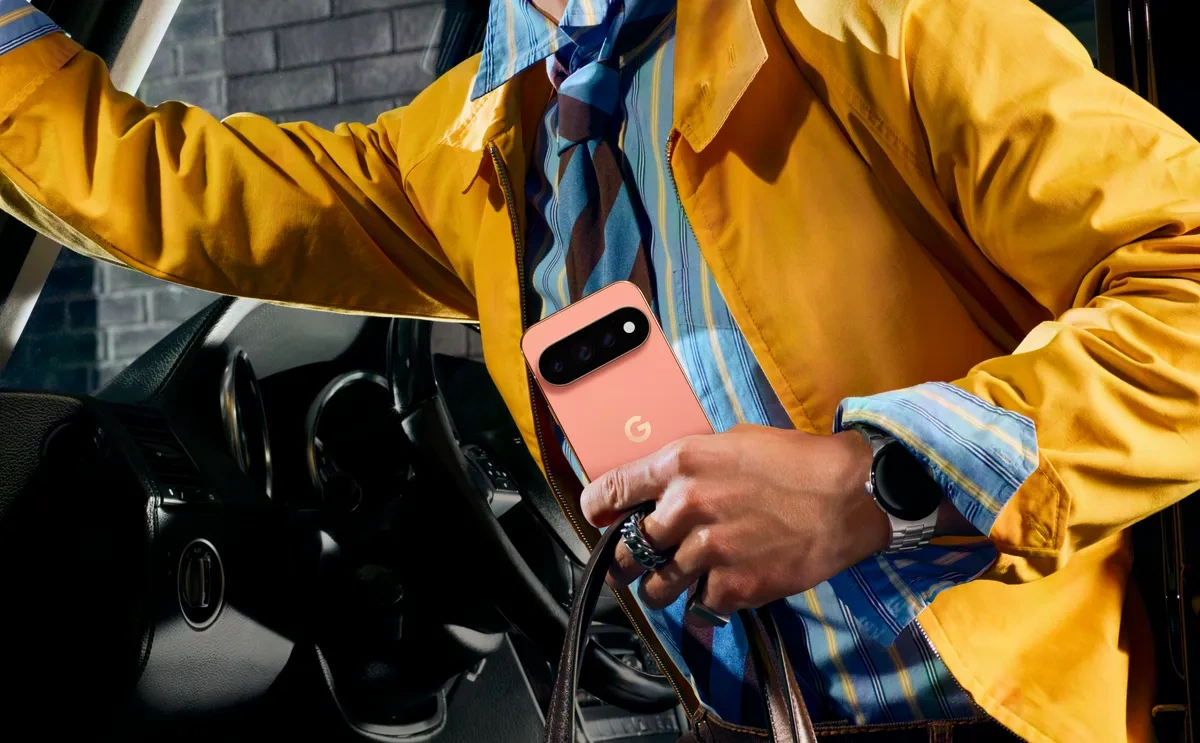
Google’s new HiLight feature on the Pixel 11 Pro lineup is one of those ideas that sounds more useful than its current implementation. The hardware appears capable of doing much more than simply lighting up for a few selected situations.
Instead of becoming a full notification system, HiLight currently focuses on calls from selected contacts and Gemini interactions. That makes the feature interesting, but also leaves a lot of its potential unused.
Quick Take
- Feature: Google HiLight
- Devices: Pixel 11 Pro series
- Purpose: Visual alerts from the rear of the phone
- Works with: Selected calls and Gemini interactions
- Location: Around the rear camera/flash area
- Biggest problem: Limited app support
- Biggest opportunity: Colorful notifications for individual apps
- Our verdict: Great idea, but Google is playing it too safe
What Is Pixel HiLight?
HiLight is a new visual feature built into the rear camera area of the Pixel 11 Pro models.
The idea is simple: when the phone is placed face down, the rear light can provide a visual indication without requiring you to pick up the device.
Google has tied the feature into Gemini as well. During certain Gemini interactions, the lighting can provide a visual cue that the assistant is listening, processing or responding.
That sounds useful.
But there is a problem.
It isn’t really a universal notification light.
And that’s where Google may have missed a much bigger opportunity.
The Notification Feature People Actually Wanted
Imagine putting your Pixel 11 Pro on a desk while working.
Your phone receives:
- Instagram notification → orange/purple light
- Reddit notification → red light
- Gmail → another recognizable color
- Messages → blue
- Slack → green
- Calendar reminder → a different pattern
- Missed call → personalized color
You wouldn’t need to unlock your phone.
You could potentially know what happened simply by looking at the rear light.
That’s the kind of feature that could make HiLight genuinely useful every day.
Instead, the current implementation is considerably narrower.
Google Has the Hardware for Something Better
This is perhaps the most frustrating part.
The hardware itself creates the impression that Google could have done much more with HiLight.
The multicolor lighting system could potentially create different colors and visual effects rather than behaving like a basic single-color indicator.
That opens the door to something similar to the notification LEDs that were once common on Android phones—but with a much more modern implementation.
Google could even turn the rear camera area into a small notification canvas.
Think of it like this:
Normal notification
●
Important notification
◉
Multiple notifications
● ● ●
App-specific notification
A recognizable color associated with that application.
It would be subtle, functional and distinctly Pixel.
Why App Notifications Would Make HiLight Better
The biggest advantage would be information without interaction.
You wouldn’t have to:
- Pick up your phone.
- Turn on the display.
- Check the notification shade.
- Put the phone back down.
A quick glance at the rear could tell you whether the notification is worth checking.
This could be especially useful when the phone is sitting on a desk during a meeting, beside your computer or across a room.
Gemini Is a Good Start
To be fair, Google’s decision to connect HiLight with Gemini makes sense.
Google has been pushing Gemini deeper into the Pixel experience, and the company’s recent Pixel software updates have continued to emphasize AI-powered features.
A visual indicator for Gemini could make an AI interaction feel more natural.
For example:
Gemini listening → soft blue light
Gemini processing → animated effect
Gemini responding → different color
That’s a nice use of the hardware.
The issue is that Google appears to have stopped there instead of opening the system up to the rest of the phone.
Calls Could Be More Useful Too
HiLight’s call functionality also has room for improvement.
A user could potentially assign different colors to:
- Family
- Work contacts
- Friends
- Unknown callers
- Spam calls
That would make the light more informative.
For example:
Family: Blue
Work: Green
Favorite contact: Purple
Spam: Red
You could immediately understand the importance of an incoming call without touching the phone.
That’s much more useful than simply having a light turn on.
The Biggest Limitation Right Now
The problem isn’t that HiLight is a bad idea.
It’s that Google appears to be limiting what the hardware can do through software.
Community discussion around the feature has also highlighted the same concern: users expected something closer to a traditional notification LED that could work across applications, while the launch implementation is much narrower.
That’s a particularly important distinction.
The feature doesn’t need to become a flashy light show every time an email arrives.
It simply needs to communicate useful information.
Google Could Fix This With a Future Update
The good news is that HiLight doesn’t necessarily have to remain this limited.
Because much of its usefulness can be controlled through software, Google could expand its capabilities later.
A future Pixel update could introduce:
- Per-app notification colors
- Custom light patterns
- Notification priority indicators
- Spam-call colors
- Message alerts
- Email notifications
- Calendar reminders
- Battery warnings
- Charging animations
- Custom Gemini animations
- Developer support for third-party apps
That could transform HiLight from a novelty into one of the Pixel’s most recognizable features.
HiLight vs the Old Notification LED
Traditional notification LEDs had one major advantage: they were simple.
You could glance at your phone and immediately know something had happened.
HiLight has the potential to take that concept much further.
| Feature | Traditional Notification LED | Pixel HiLight |
|---|---|---|
| Visual notification | ✅ | Limited |
| Multiple colors | Some phones | ✅ |
| App-specific alerts | Often supported | Limited |
| Calls | ✅ | ✅ |
| Gemini integration | ❌ | ✅ |
| Rear-facing | Usually no | ✅ |
| Dynamic effects | Limited | Potentially |
| Future expansion | Limited | High potential |
The Pixel approach is technically more interesting, but its current software restrictions reduce the practical benefit.
The Real Question: Is HiLight a Gimmick?
Not necessarily.
The hardware itself is not the problem.
In fact, HiLight could become one of the more memorable Pixel features if Google expands it.
The current version simply feels unfinished.
It’s like Google built a very capable notification system and then decided to allow it to talk to only a couple of apps.
That’s why the criticism is understandable.
Pixel 11 Pro HiLight: How Does the Notification Light Work?
Pixel 11 Notification Light: What Can HiLight Actually Do?
Pixel 11 Pro vs iPhone 18 Pro: Which Phone Should You Buy?
Our Verdict
What Google got right
- ✅ A genuinely different hardware idea
- ✅ Useful when the phone is face down
- ✅ Gemini integration makes sense
- ✅ Color-based communication has potential
- ✅ Could become a distinctive Pixel feature
What Google needs to improve
- ❌ Broader app notification support
- ❌ Custom patterns
- ❌ More notification types
- ❌ Better call identification
- ❌ More user control
HiLight isn’t a bad feature—it may simply be a feature that Google hasn’t finished developing yet.
If Google eventually allows apps such as Instagram, Reddit, Gmail, Messages and other services to use the light intelligently, the Pixel 11 Pro could have something genuinely different from Samsung, Apple and other Android phones.
For now, though, HiLight feels more like a promising first step than the finished notification system it could have been.Pixel 11 Pro HiLight Could Be a Great Notification LED
- Tecno Bezel-Less Concept Phone Hands-On: 0mm Bezel Display Explained
- Oppo A7 Pro Launch Date, 8,000mAh Battery and Specs
- Infinix Hot 70 Pro Launched in India: Price, Specs and Features
- Motorola Swarovski Razr Teased Ahead of IFA 2026: What We Know
- Huawei MatePad 11.5 (2025) and MatePad SE 11 Launch in India: Price, Specs
3 thoughts on “Pixel 11 Pro HiLight Could Be a Great Notification LED”
Comments are closed.